
Play Real Songs on Your Keyboard
Overview
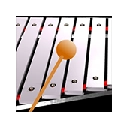
The ButtonBass keyboard xylophone is a desktop application designed to transform your computer keyboard into a musical instrument. With authentic sounds captured from a real marching xylophone, users can play melodies and real songs using standard key inputs. This software serves as a creative tool for music enthusiasts, students, and casual users interested in exploring melodic composition without physical instruments.
The application is especially useful for those seeking an accessible, low-cost way to experiment with percussion-based music. While the developer, Jason @ ButtonBass, is credited for the recordings and design, no additional background information about the creator’s professional history is available. The software enables real-time performance, making it suitable for live improvisation, music education demonstrations, or personal entertainment.
It can also be used as a supplementary tool in online music lessons or creative projects where digital sound generation is required. The application runs entirely on desktop platforms, requiring no internet connection for basic functionality.
Key Features & Capabilities
- Real Marching Xylophone Sounds – Audio samples were recorded using a tube amp, Mbox interface, and compressor mic, ensuring high-fidelity sound quality.
- Keyboard Mapping – Each key on the computer keyboard corresponds to a specific note, enabling intuitive and responsive playing.
- Real-Time Playback – Notes are triggered instantly with no noticeable delay, supporting smooth melodic performance.
- Multi-Song Compatibility – Users can play pre-written sheet music or compose original melodies using the keyboard layout.
- Offline Functionality – The application operates without requiring an internet connection once installed.
These features allow users to explore musical expression in a simple, interactive format. For example, music students can use the tool to practice note recognition, while hobbyists can create short compositions for personal enjoyment. Teachers may integrate it into classroom activities to demonstrate pitch and rhythm.
The software’s reliance on standard keyboard inputs makes it accessible across different devices and operating systems. Since all audio is pre-recorded, the performance is consistent and does not depend on external sound generation engines. This ensures reliable playback and minimal latency during use.
User Interface, Workflow & Performance
The user interface is minimal and focused on functionality, with no visible menus or complex controls. The application likely presents a clean keyboard layout on-screen, visually indicating which keys correspond to which notes. Navigation is straightforward—users simply press keys to produce sound, with no setup required beyond installation.
The workflow is designed for immediate use, reducing the learning curve for beginners. There are no visible preferences or configuration options in the provided information, suggesting a plug-and-play experience. Performance is expected to be stable, given the use of pre-recorded audio files and the absence of real-time processing demands.
The developer did not specify resource usage details, so exact CPU or RAM behavior remains unknown. However, based on general software behavior patterns, the application should operate efficiently on modern systems. Stability is assumed to be consistent, as no error reports or crash indicators were mentioned.
The software does not appear to include background processes or data collection, which supports a secure and lightweight operation.
Compatibility & System Requirements
The software is available for both Windows and Mac operating systems, supporting desktop environments on these platforms. The application version is 1.0, with a total installation size of 500 MB. This size suggests that the software includes a comprehensive library of recorded xylophone sounds, likely stored in high-quality audio formats.
The developer did not specify exact system requirements, including minimum processor speed, RAM, or graphics capabilities. As such, compatibility with older or low-end systems cannot be confirmed. Users are advised to ensure their system meets general desktop software standards for audio playback.
No additional dependencies, such as specific audio drivers or runtime libraries, were mentioned. The application does not require an internet connection for core functionality, which enhances accessibility in various environments.
Pros and Cons
Pros
- Authentic, high-quality xylophone sounds recorded from a real instrument
- Free to download and use with no hidden costs
- Simple keyboard-based interface with immediate usability
- Runs offline, making it ideal for classrooms or presentations
- Compact size for a music tool with a full sound library
Cons
- No detailed system requirements provided for compatibility assessment
- Interface design and layout details not described in available information
- Limited customization options due to lack of settings or preferences
- Version 1.0 suggests a basic release with potential for future updates
- No support for external MIDI devices or audio output configuration
FAQ Section
Is the keyboard xylophone free to use?
Yes, the software is available at no cost. There are no subscription fees or in-app purchases required.
Which operating systems does it support?
The application is compatible with both Windows and Mac desktop systems.
Does it require an internet connection?
No, the software functions entirely offline after installation. No online verification or cloud services are needed.
Can I use this for music lessons or classroom activities?
Yes, the tool is well-suited for educational purposes, allowing students to learn note recognition and melody building through interactive keyboard play.
How do I update the software?
Update information was not provided. Users should check the developer’s official page for the latest version.
Final Thoughts + CTA
Play real songs on your computer using the keyboard with this free desktop application. The ButtonBass xylophone delivers authentic, high-fidelity sounds recorded from a real marching xylophone, offering a unique blend of simplicity and musical quality. While it lacks advanced features and detailed system specifications, its core purpose—transforming a keyboard into a playable instrument—is executed effectively.
The software is ideal for hobbyists, educators, and anyone looking for a fun, accessible way to engage with music. Its free status and offline functionality further enhance its appeal. For those seeking a lightweight, no-frills music tool that brings real instrument sounds to the desktop, this application stands out.
Download ButtonBass keyboard xylophone now and start creating melodies today.
Download ButtonBass keyboard xylophone now







